The story of
MockMyApp: Store Screenshots
by NewAgeDevs
See it in action
MockMyApp: Store Screenshots
Mobile · Tools
App Store and Google Play screenshots, icons and listing copy, on every device you own.
Design App Store and Google Play screenshots with real device frames, 3D, panoramas and every store size, write store copy inside each store’s limits, design the app icon, and export it all — on Android, iPhone, iPad, Mac, Windows, Linux and the web.
Highlights
How it works
Choose App Store, Google Play or both, and MockMyApp sets up every size they need.
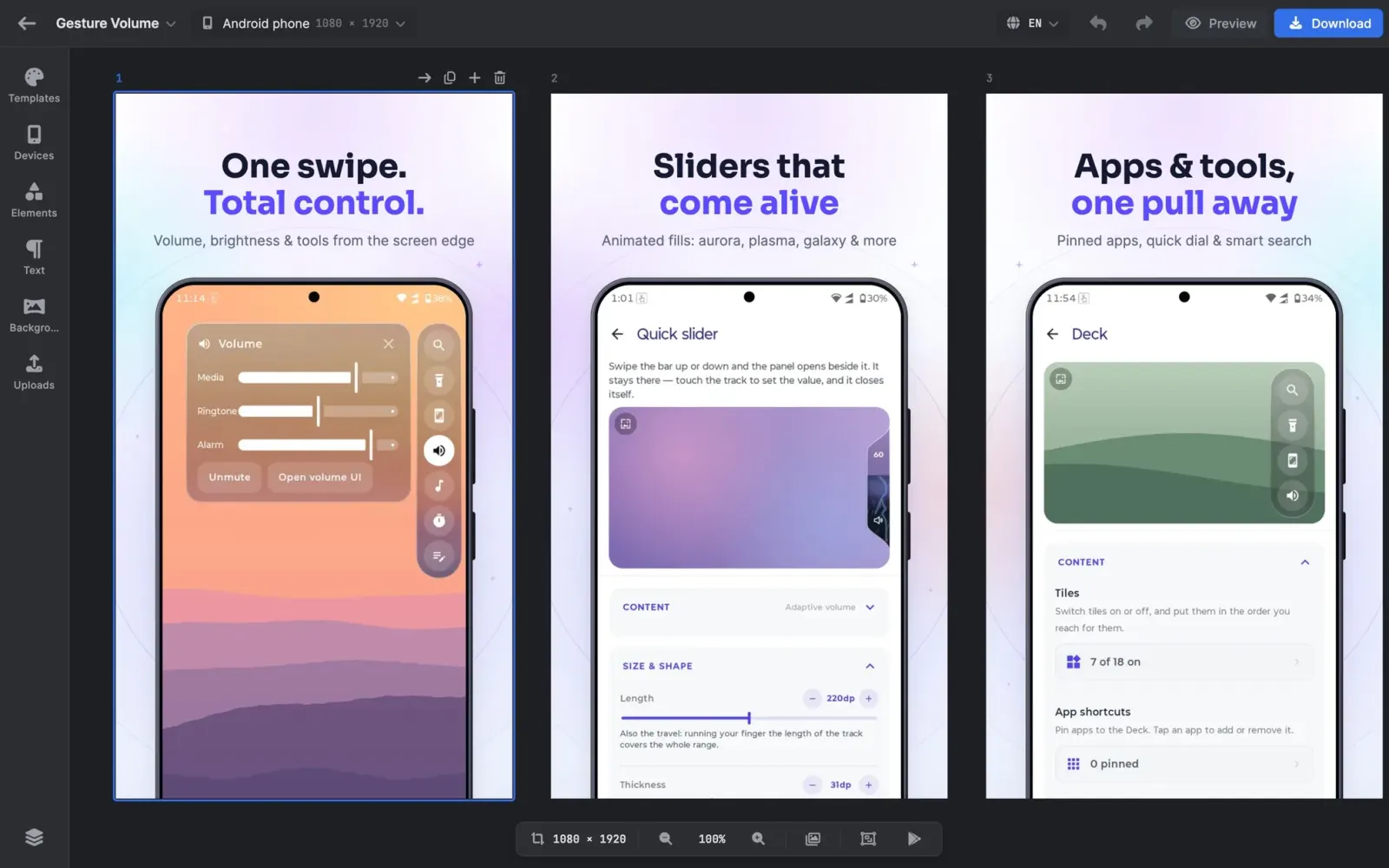
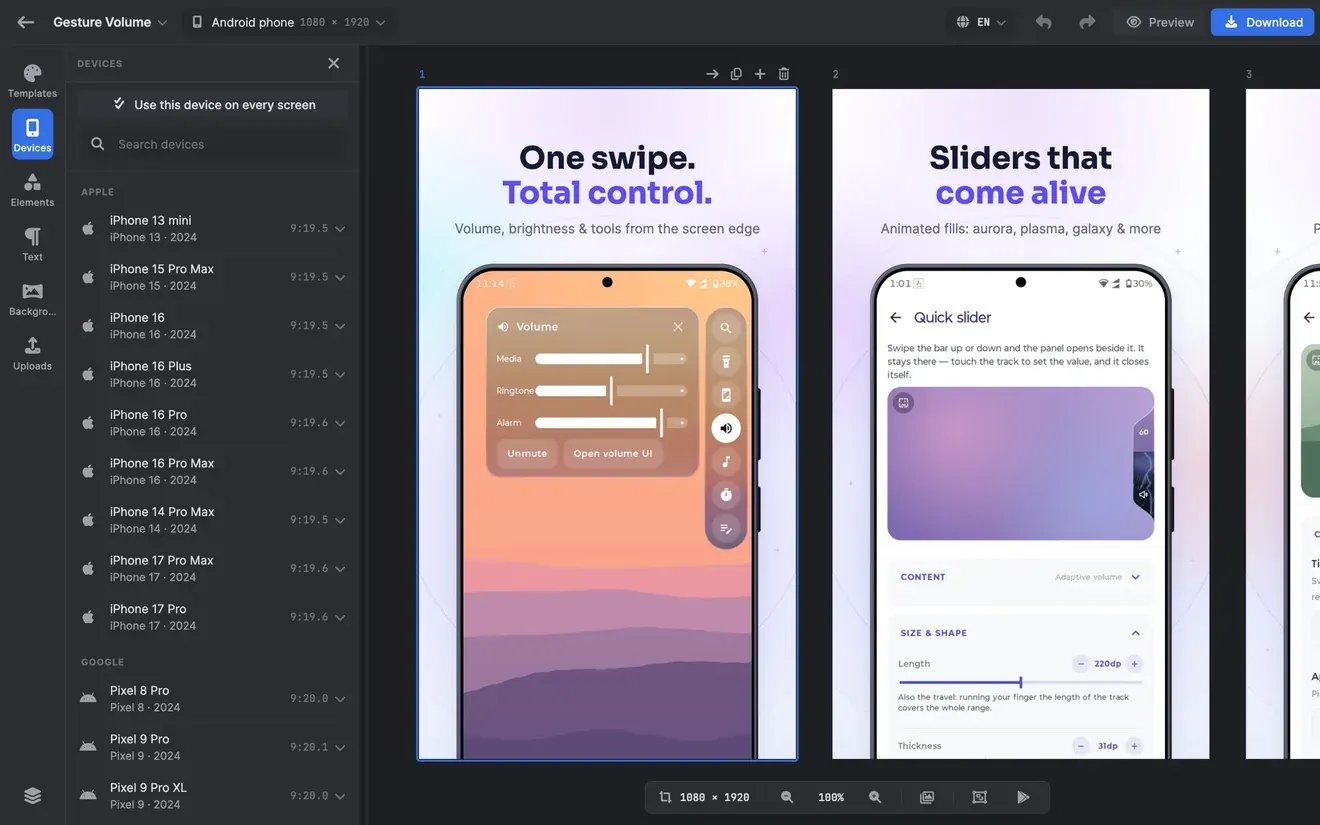
Pick a designed listing, or start blank. Pick the device your screenshots go into from real frames, filtered by maker.
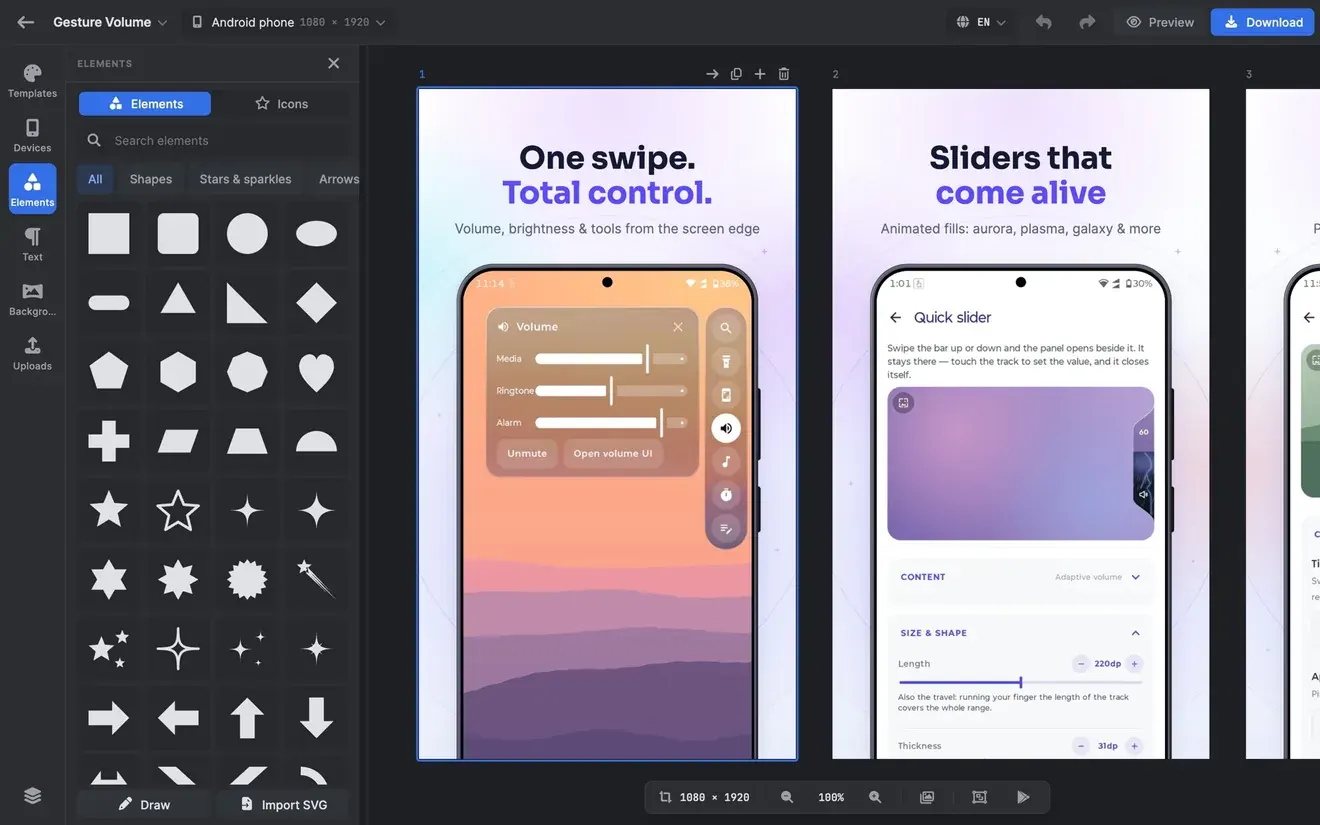
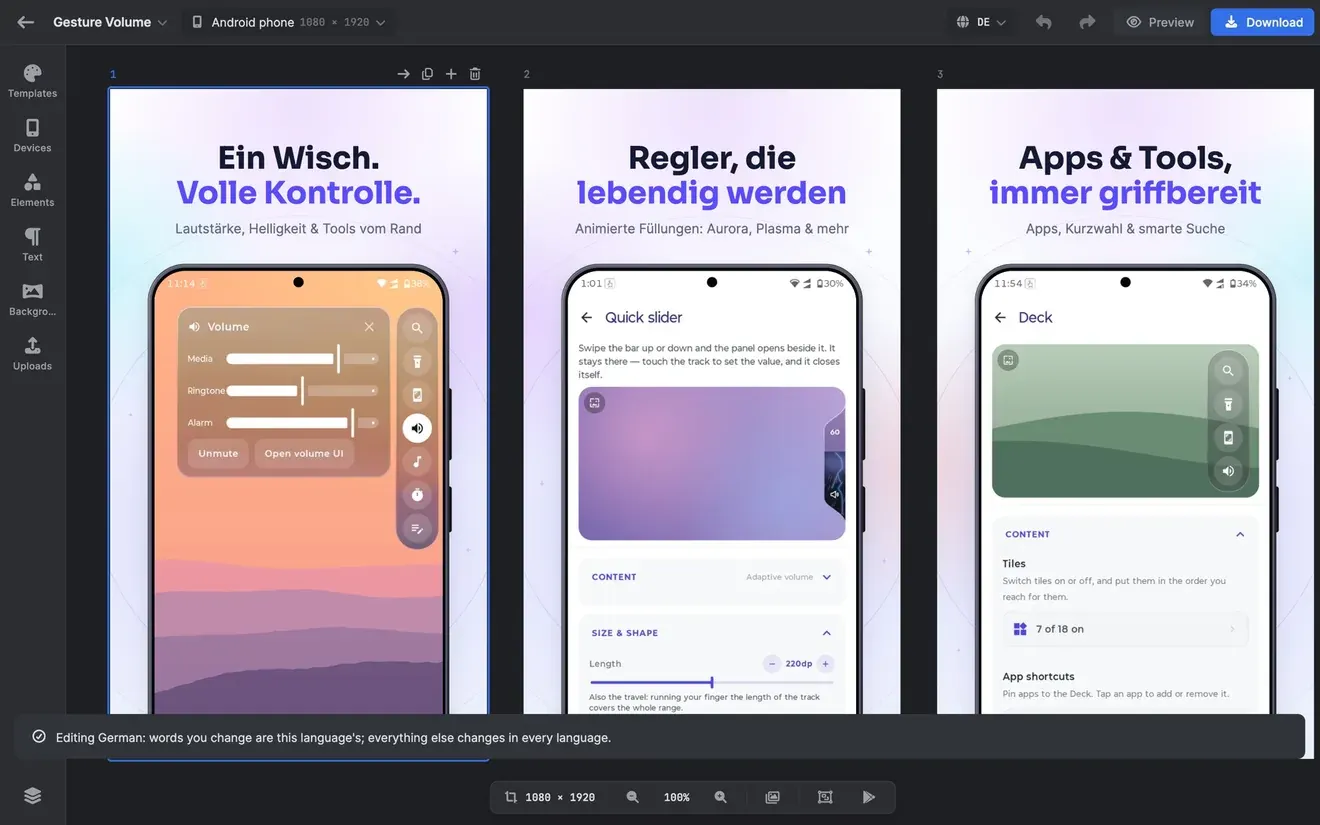
Add your app’s screenshots and write your headlines. Translate them into other languages, change backgrounds, and turn devices in 3D.
Export PNGs, a ZIP for every language, or a fastlane-ready ZIP, checked against each store’s rules. Write the store copy and design the icon in the same project.
About
MockMyApp is an app store screenshot maker for Android, iPhone, iPad, Mac, Windows, Linux and the web. Put your screenshots in real device frames, add headlines in 40 languages, and export every size the App Store and Google Play ask for. A free, private editor; AI when you want it.
Every recent iPhone, Galaxy, Pixel, Motorola, OnePlus, Xiaomi, OPPO, vivo, Nothing and Sony phone, plus iPads, Macs, browsers and foldables. Filter by maker, turn any device in 3D, and put several on one screen.
Start from a designed listing and drop your own screenshots in, or build your own from layers, shapes, text, stickers and backgrounds — gradients, patterns and panoramas that run across the whole set.
iPhone 6.9″ and 6.5″, iPad 13″, Mac, Apple Watch, Vision Pro, Play phone and tablet, the feature graphic, plus Microsoft Store, Galaxy Store, AppGallery and Chrome Web Store sizes. Every export is checked against its store’s rules, and fastlane-ready ZIPs drop straight into your release pipeline.
Write the name, subtitle, keywords and descriptions for each store with live character and byte counters, and checks for the words each store rejects. Design the app icon once and export it for iOS, Android, Play and the web.
Film App Store previews and Google Play promo videos at the stores’ exact sizes, with your devices turning in 3D.
In brief
The story of
MockMyApp: Store Screenshots
by NewAgeDevs
See it in action
MockMyApp: Store Screenshots
Built from this product's own figures — it changes when they do.
Screenshots
Details
FAQ
An app store screenshot maker. It puts your app’s screenshots into real device frames with headlines and backgrounds, and exports every size the App Store and Google Play ask for. It also writes store copy and designs the app icon.
Android, iPhone and iPad, Mac, Windows, Linux and the web. Your projects stay on the device you make them on; move one between devices with Back up and Import.
Yes. The whole editor is free, and free exports carry a small watermark. Lifetime removes it for good with one payment; Pro removes it and adds monthly credits for cloud AI.
No. Designing and exporting need no account. Signing in with Google or Apple is asked for only when you use cloud AI, so your credits follow you to every device.
iPhone 6.9″, 6.5″ and 6.3″, iPad 13″, Mac, Apple Watch, Apple TV, Vision Pro, Google Play phone and tablet and the feature graphic, plus Microsoft Store, Galaxy Store, AppGallery, Chrome Web Store and social sizes. You can also set a custom size.
Yes. The editor, templates, device frames and exports all work offline. Only cloud AI needs a connection.
They stay on your device. Cloud AI sends anything only when you start a cloud action, after asking your permission, and screenshot images are never sent unless you switch that on. The privacy policy, linked below, has the details.
Use the form beside these questions, or write to us at imamagun94@gmail.com. Tell us which device you are on and what you were doing when it happened.
Send us a message and we will get back to you. We read every one.
App Store and Google Play screenshots, icons and listing copy, on every device you own.