The story of
Active eCommerce Abandoned Cart Add-on
by NewAgeDevs
See it in action
Web · Laravel
Recover lost sales with automated abandoned cart recovery emails.
Recover lost sales by automatically sending reminder emails to customers who abandon their carts. Includes customizable email templates, a rich text editor, and automated recovery campaigns to help increase conversions.
Highlights
How it works
You need a working Active eCommerce CMS installation, because the add-on will not work without it. CodeCanyon lists it as a Laravel add-on for PHP 8.x with MySQL 5.x or 8.x.
The add-on needs several code changes, so follow the documentation carefully step by step. If you get stuck, open a support ticket at support@newagedevs.freshdesk.com.
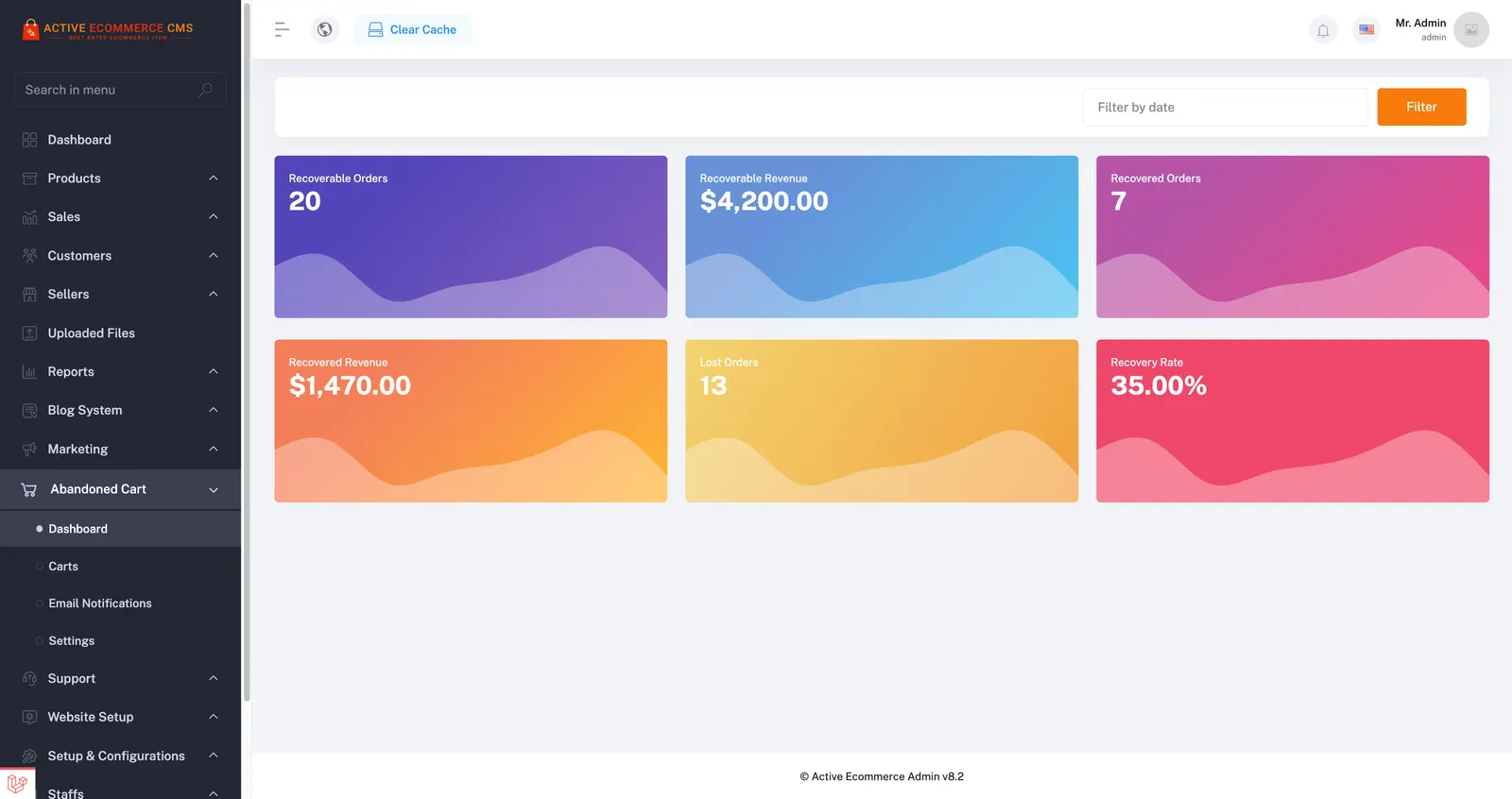
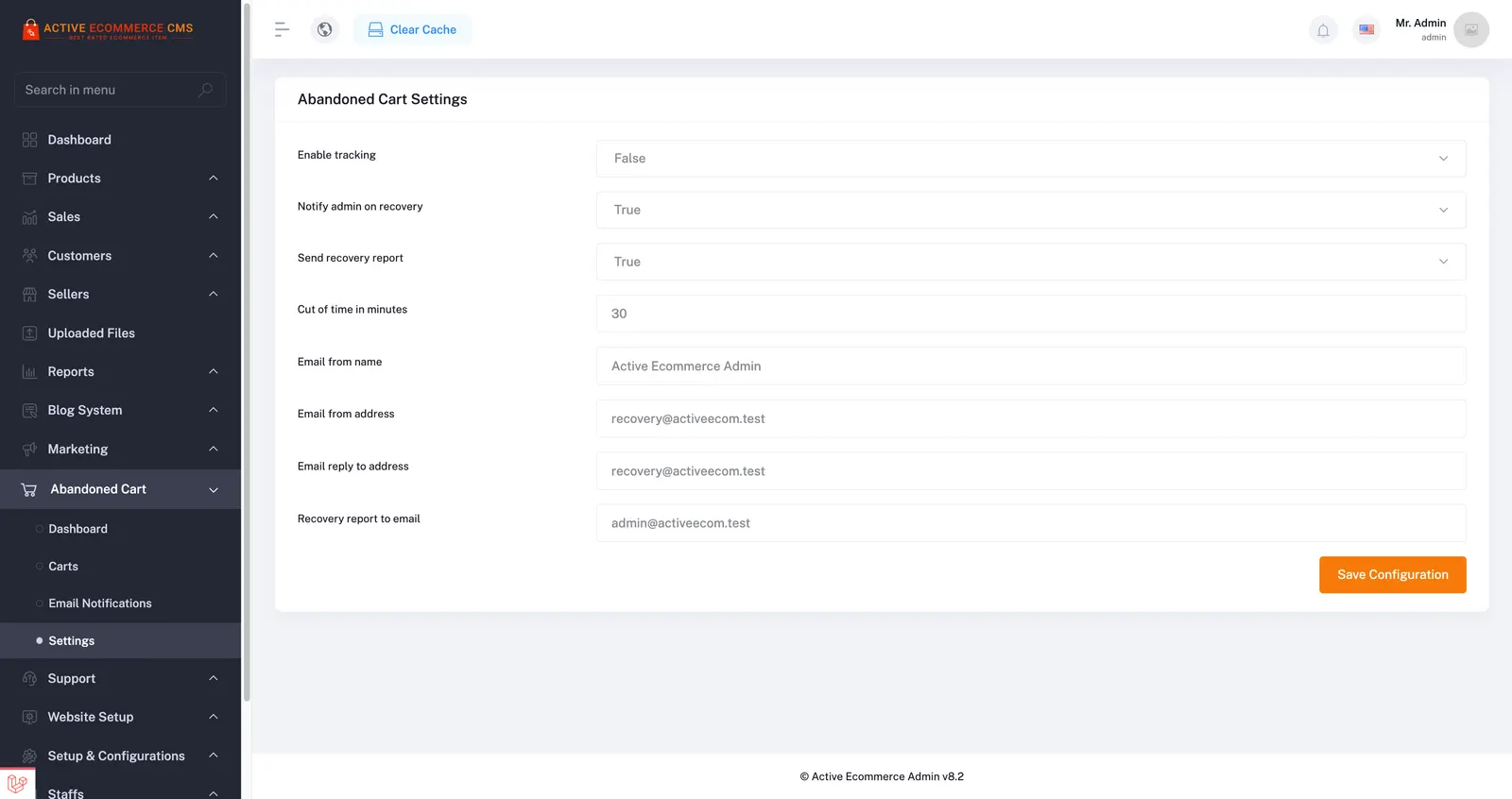
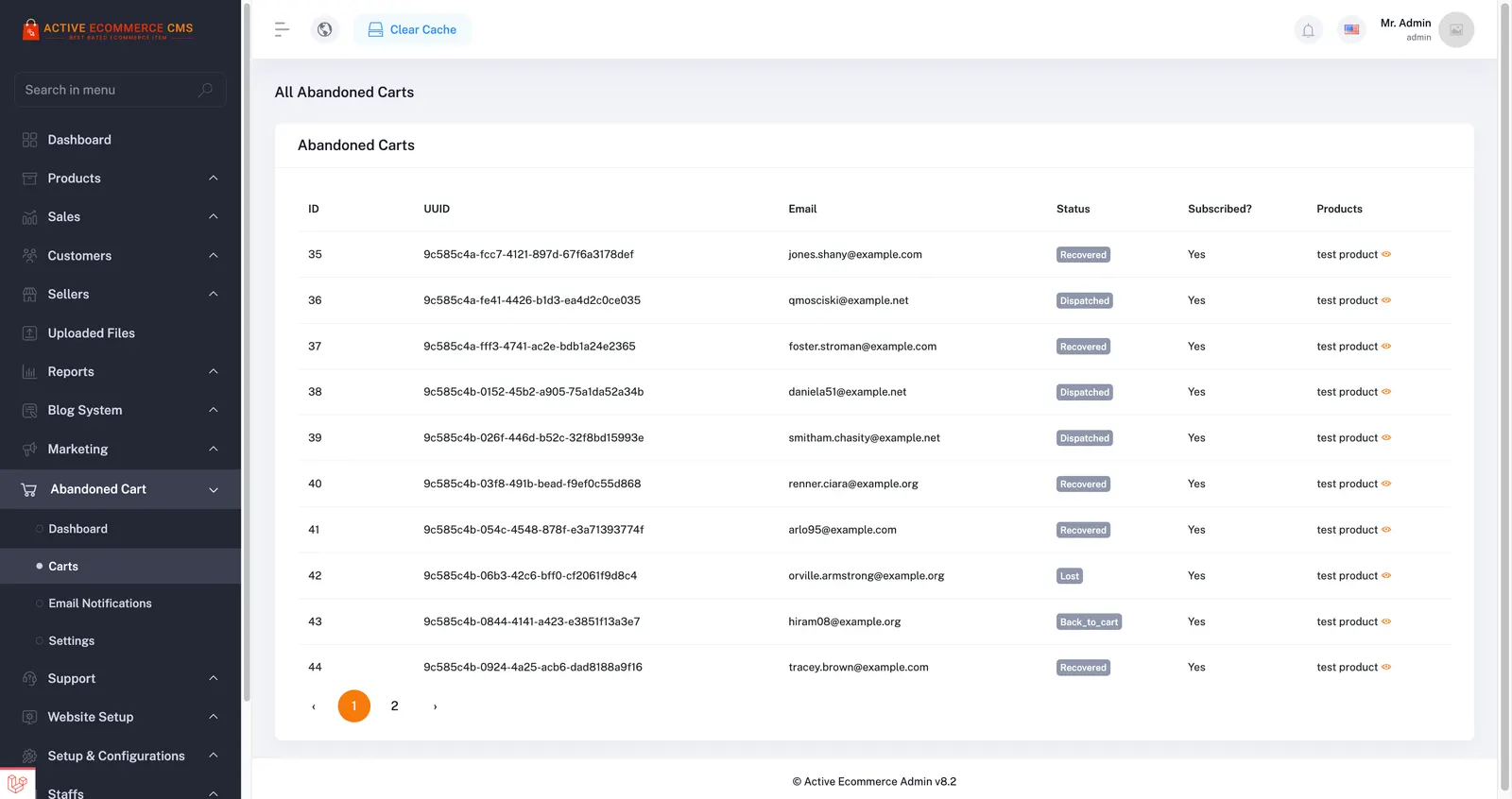
Log in as an administrator. The Abandoned Cart menu appears in the admin sidebar.
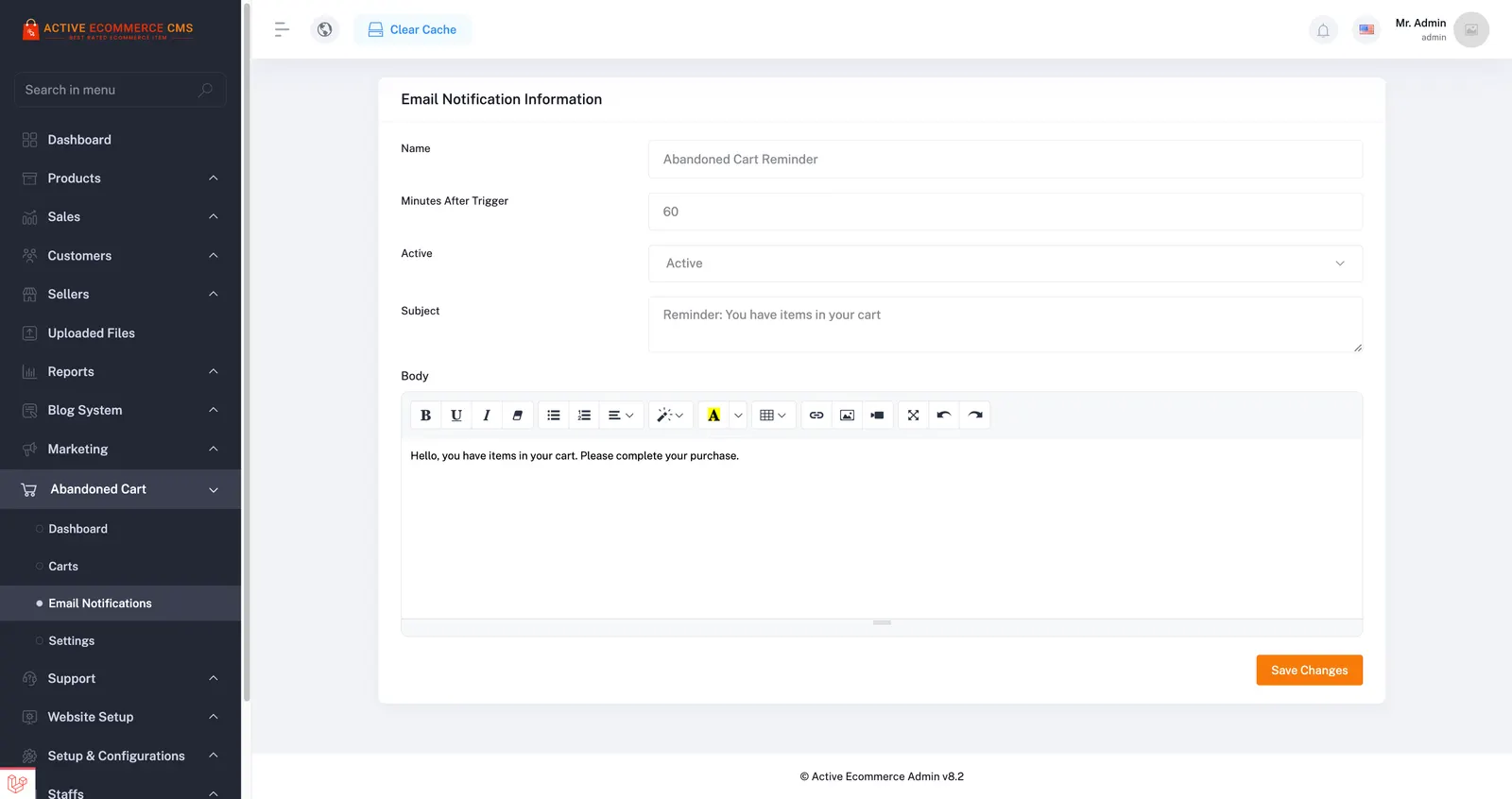
Start from a ready-made abandoned cart email template, or paste HTML from any source into the rich text editor and customise the content.
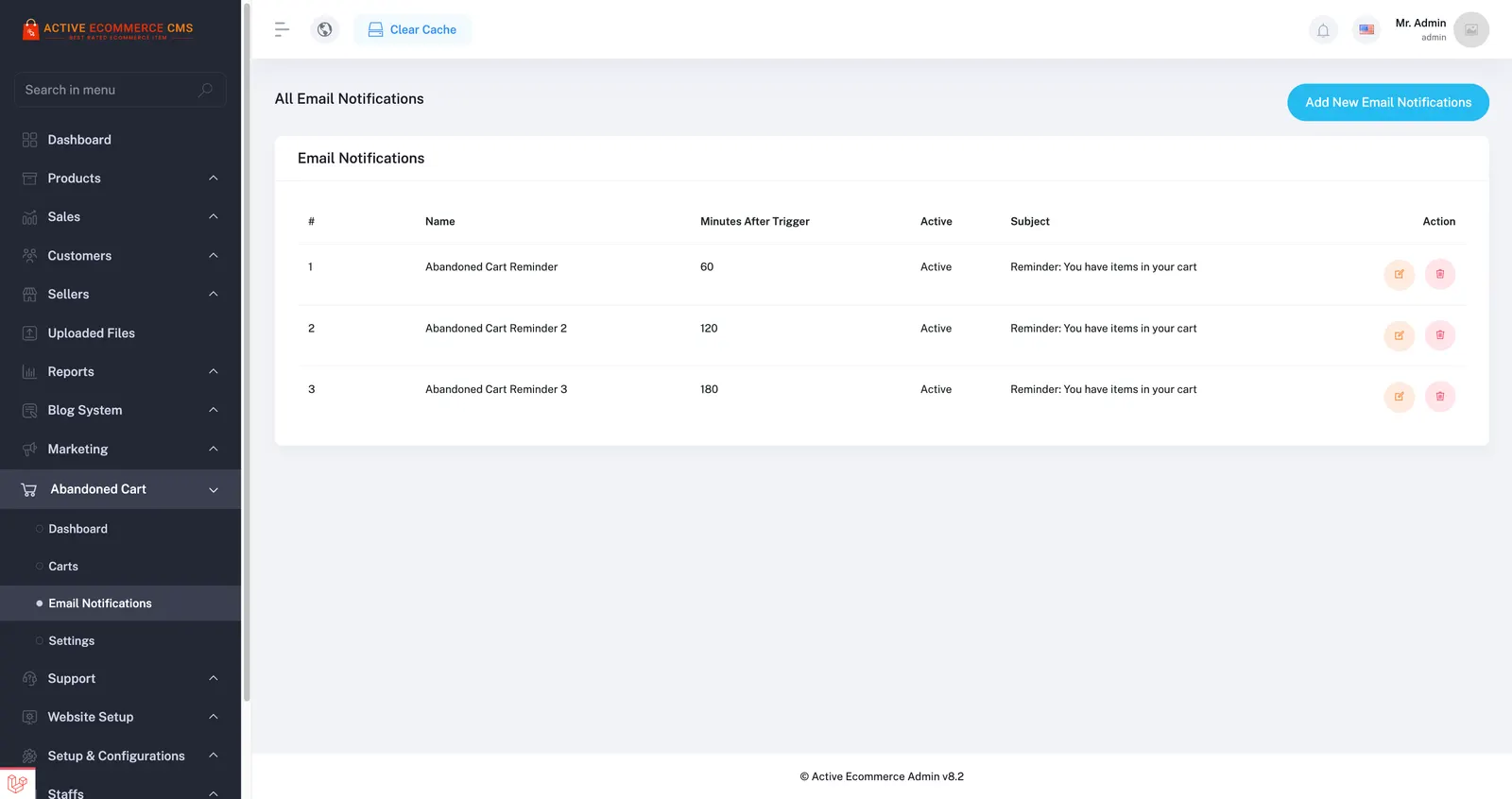
Reminder emails go out automatically shortly after a cart is abandoned, prompting the customer to come back and complete the purchase. After each Active eCommerce CMS update, reapply the file modifications using the upgrade guide.
About
Active eCommerce Abandoned Cart Add-on is a Laravel add-on for Active eCommerce CMS that emails shoppers who leave items in their cart, to win back lost sales. It comes with ready-made email templates and an HTML editor.
You must have Active eCommerce CMS installed. This add-on will not work without the Active eCommerce CMS application.
Warning
This add-on will be removed when you update Active eCommerce CMS. After updating, you will need to reapply the required file modifications.
This is not an official Active eCommerce add-on. Because it requires several code changes, manual installation is necessary. Please follow the documentation carefully. If you need installation assistance, create a support ticket at:
support@newagedevs.freshdesk.com
Please include the following credentials when requesting support:
Documentation: https://abandoned-cart-doc.vercel.app/?client_id=122377942.1781602572&session_id=1782125066
Automatically send reminder emails shortly after a cart is abandoned to encourage customers to complete their purchase.
Use pre-built abandoned cart email templates for fast and hassle-free configuration.
Create beautiful email templates by copying HTML from any source and customizing content using the built-in rich text editor.
After installation, log in as an administrator and you will see the Abandoned Cart menu in the admin sidebar.
Demo URL: https://activecms.newagedevs.com/login?client_id=122377942.1781602572&session_id=1782125066
* Username: admin@example.com
* Password: password
Changelog & Upgrade Guide: https://abandoned-cart-doc.vercel.app/guide/upgrade.html?client_id=122377942.1781602572&session_id=1782125066
In brief
The story of
Active eCommerce Abandoned Cart Add-on
by NewAgeDevs
See it in action
Built from this product's own figures — it changes when they do.
Screenshots
Details
FAQ
A working Active eCommerce CMS installation, because the add-on does not work without it. CodeCanyon lists it as a Laravel add-on compatible with PHP 8.x and MySQL 5.x or 8.x.
No. It is an independent add-on made by NewAgeDevs, not an official Active eCommerce add-on, which is why it is installed manually.
Installation is manual because it involves several code changes, so follow the documentation step by step. If you would like help, open a support ticket at support@newagedevs.freshdesk.com.
Updating the CMS removes the add-on, so you need to reapply the required file modifications afterwards. The changelog and upgrade guide in the documentation cover the steps.
Reminder emails go out automatically shortly after a cart is abandoned, encouraging the customer to return and complete the purchase.
Yes. Start from a ready-made template, or copy HTML from any source into the built-in rich text editor and customise the content.
Yes. The CodeCanyon listing links to a live demo with admin login details. Once logged in, open the Abandoned Cart menu in the admin sidebar.
It is sold on CodeCanyon with Envato's Regular and Extended licences. Current prices are shown on the listing.
Use the form beside these questions, or write to us from the contact page. Tell us which device you are on and what you were doing, and we can usually work it out from there.
Send us a message and we will get back to you. We read every one.
Keep exploring
Recover lost sales with automated abandoned cart recovery emails.