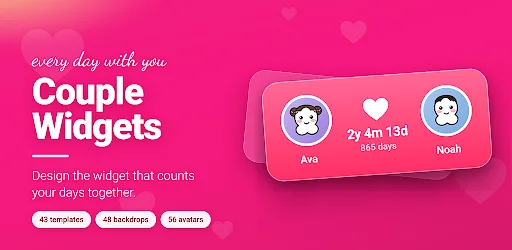
There is a date my partner and I count from. For a while I counted it in my head, badly, and then in a note I forgot to update. What I wanted was a number on the home screen that was simply always right — no app to open, no tap, just there when the phone lit up.
So I built one, for us. It is on Google Play now, five thousand people have installed it, and almost none of the work since has been about counting days. This is what a widget for two people actually costs to build, and what I got wrong on the way.
What the thing is actually for
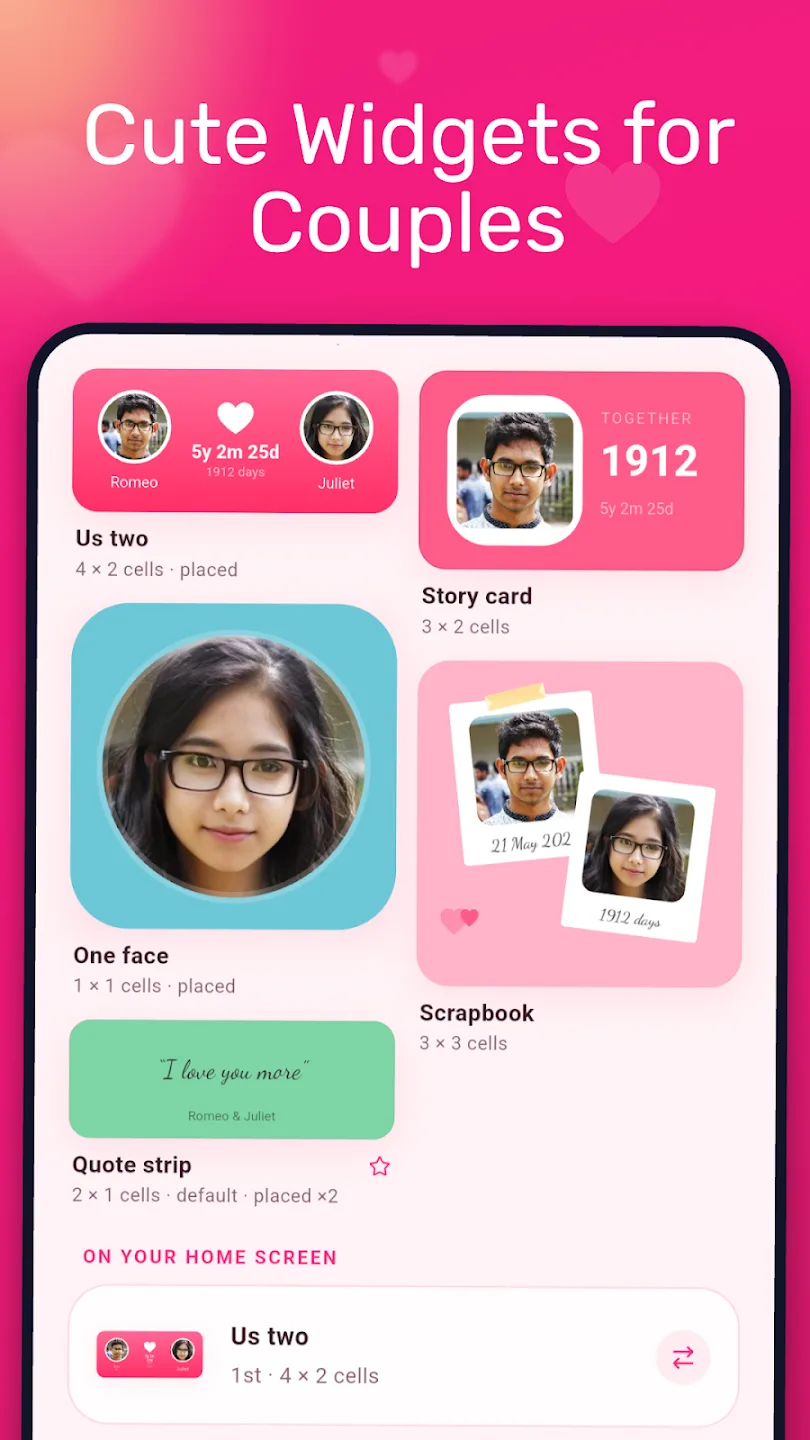
The couples-widget category is bigger than it looks, and it splits into four kinds of widget: a distance counter, a days-together counter, a shared photo or doodle, and a mood check-in. iScreen's guide to the category is a good survey of them, and it makes the point that the useful thing here is ambient rather than interactive: consistent low-pressure contact beats constant messaging. Smush's roundup puts it more bluntly — widgets work through consistency, not intensity.
I agree with both, and I would add the thing neither says: a widget that is wrong is worse than no widget. A counter that is a day out, or that goes blank when the launcher restarts, is a small daily irritation attached to something you meant to be affectionate. Most of this article is about not being wrong.
Worth noting what those two roundups do not discuss, between them, across sixteen apps: what happens to the data. Not one mention of accounts, servers or retention. The one privacy note in either is iScreen's — a warning that distance widgets need permanent location sharing, and that permanent location sharing "opens up the temptation to monitor your partner". That is a real problem, and it is the reason this app has no distance widget.
The constraint that designed everything else
Here is the fact the whole architecture falls out of.
At midnight, the number has to change, and there is no app running. Your Flutter process is long dead. Android wakes a broadcast receiver, hands it a RemoteViews, and gives it a few milliseconds on the main thread. There is no Dart, no database connection, no chance to recompute anything expensive.
flowchart TD
  A["Midnight alarm fires"] --> B["WidgetAlarmReceiver wakes"]
  B --> C["Read design JSON + profile<br/>from SharedPreferences"]
  C --> D["Resolve tokens:<br/>{days} becomes 1912"]
  D --> E["DesignRenderer paints<br/>to a Canvas"]
  E --> F["Push a bitmap into RemoteViews"]
  F --> G["Re-arm the alarm<br/>for the next local midnight"]
  H["No Dart process"] -.-> B
  I["No database"] -.-> C
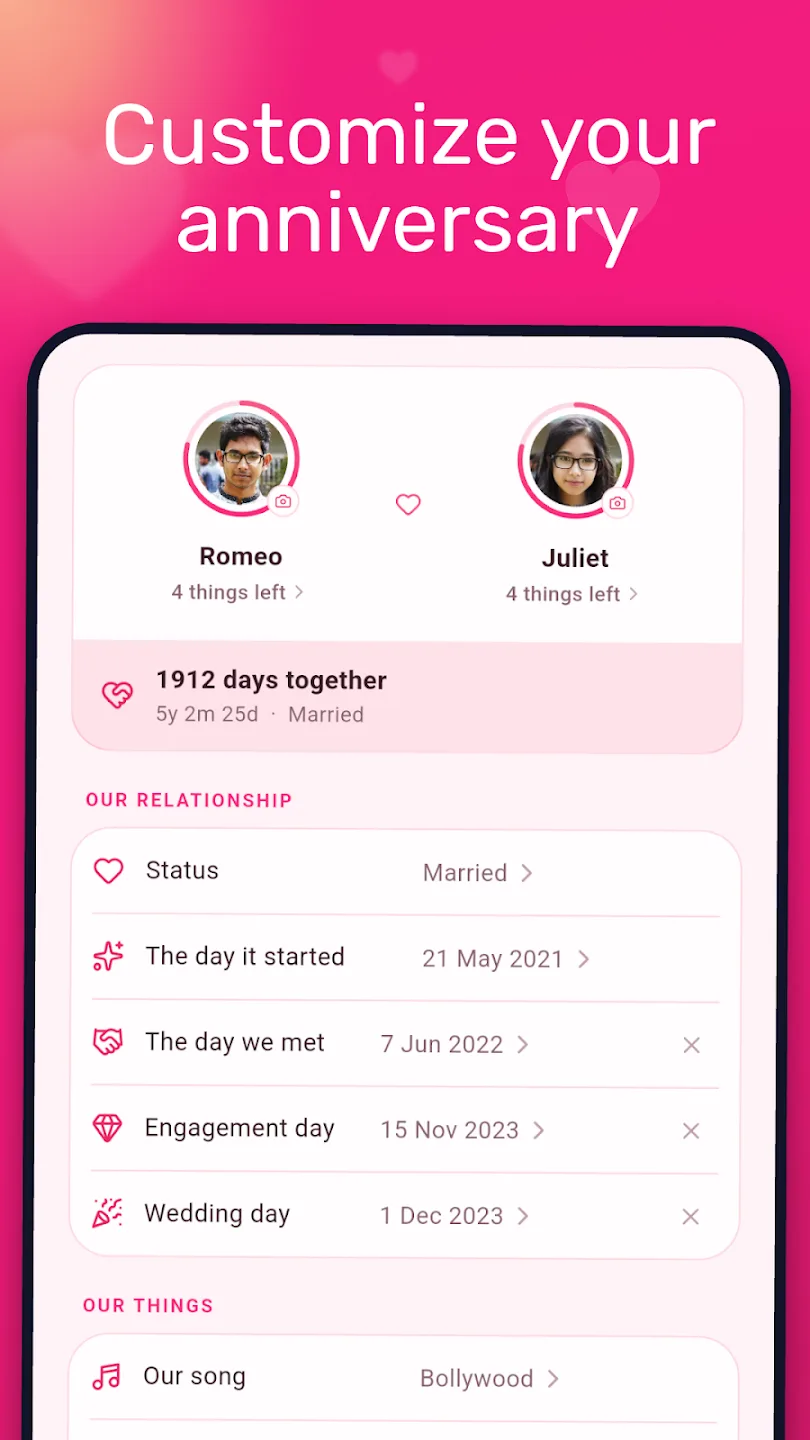
That is why a text layer stores a template, never a value. The saved design says "{days} days together". It does not say "1912 days together", because the moment it did, the widget would be a photograph of a number that was true when you saved it.
The tokens the renderer resolves at paint time:
| Token | Resolves to |
|---|---|
{days} {weeks} {months} {years} | Time together, each on its own |
{ymd} | All three at once — “5y 2m 25d” |
{you} {partner} | The two names |
{startDate} {today} | The day it started, and today |
{nextTitle} {nextDays} {nextDate} | The next thing in the calendar |
{milestoneTitle} {milestoneDays} | The next round number worth noticing |
{yourBirthdayDays} {partnerBirthdayDays} | Days to each birthday |
{yourAge} {partnerAge} | Ages, recomputed rather than stored |
{quote} | Whatever the two of you wrote |
An unknown token is left in place rather than blanked. If a design made by a newer version lands on an older renderer, the user sees {newThing} — which is odd, and is still far better than a widget that silently loses half its text.
Two smaller decisions come from the same place. updatePeriodMillis is 0, because the framework's own update period is unreliable and cannot be aligned to a local midnight anyway; the alarm does it instead, and re-arms itself every time it fires. And the day count is calendar-day arithmetic, not elapsed milliseconds divided by 86,400,000 — which is what makes it survive a daylight-saving boundary, and what makes 29 February clamp to 1 March in a year that has no 29th. There is a test for exactly those two cases, because I got them wrong first.
Three renderers, one contract
A design has to be drawn in three completely different places, by three languages that cannot see each other's types:
| Renderer | Language | Draws |
|---|---|---|
design_renderer.dart | Dart / Flutter | The builder canvas, gallery thumbnails, template previews |
DesignRenderer.kt | Kotlin, on android.graphics.Canvas | The real Android home-screen widget |
DesignView.swift | SwiftUI / WidgetKit | The iOS widget — building and running on a simulator, not yet shipped |
flowchart LR
  B["Builder<br/>(Dart)"] --> J["One design,<br/>as JSON"]
  J --> S["SharedPreferences<br/>/ App Group UserDefaults"]
  S --> A["Android widget<br/>(Kotlin Canvas)"]
  S --> I["iOS widget<br/>(SwiftUI)"]
  S --> P["Preview thumbnails<br/>(Dart)"]
  T["home_widget_payload_test"] -.->|"the only thing<br/>holding them together"| J
The spec is deliberately boring, and the boring parts are the load-bearing ones:
{
  "name": "Us two",
  "size": "2x2",
  "background": { "kind": "gradient", "colors": [-42405, -3642665], "angle": 135 },
  "layers": [
    { "id": "you", "type": "photo", "x": 0.29, "y": 0.35, "w": 0.42, "h": 0.42 },
    { "id": "counter", "type": "text", "x": 0.5, "y": 0.83, "w": 0.9, "h": 0.12,
      "text": "{days} days together", "size": 0.1, "align": "center" }
  ]
}
Three things in there are the difference between this working and not:
- Every number is a fraction, never a pixel.
xandyare the layer's centre as a fraction of the canvas;wandhare its extent; a text layer'ssizeis a fraction of canvas height. That is the entire reason one saved design renders correctly at 2×2 on a phone and 4×4 on a tablet with no second layout anywhere. - Colours are signed 32-bit ARGB integers, exactly as
android.graphics.Colorstores them. Decode them as unsigned and you get the alpha channel wrong and every negative value wrong — which looks like a theming bug and is not. - Layers paint in array order, bottom first. No z-index. The array is the z-order, so there is no second source of truth to disagree with it.
The widget resolves its design as per-widget override → default → nothing, and “nothing” draws a “tap to set up” card rather than someone else's design. Deleting a widget clears only its own key. That last detail is a bug I shipped: deleting the shared default when someone dragged one widget off their home screen is what made re-adding it come back blank.
Seven providers became one
The first version had seven AppWidgetProviders — one per design. Adding a design meant writing a provider, a RemoteViews layout, a preview layout and three catalog entries. And it could never be customisable at all, because RemoteViews cannot reposition a view at runtime below API 31.
| Seven providers | One provider, design as data | |
|---|---|---|
| Adding a design | A provider, a layout, a preview, three catalog entries | One entry in a template list |
| User customisation | Impossible below API 31 | Any layer, any position, any size |
| Sizes supported | 4×1 | 1×1 through 4×4 |
| Designs a user can have | Seven, as shipped | As many as they build |
| Rendering | RemoteViews inflation | A bitmap painted from JSON |
| What guarantees correctness | The layout compiler | One test. Nothing else. |
That last row is the honest cost. Moving from layouts to data traded a compiler for a test suite, and the test suite only covers what I remembered to write down.
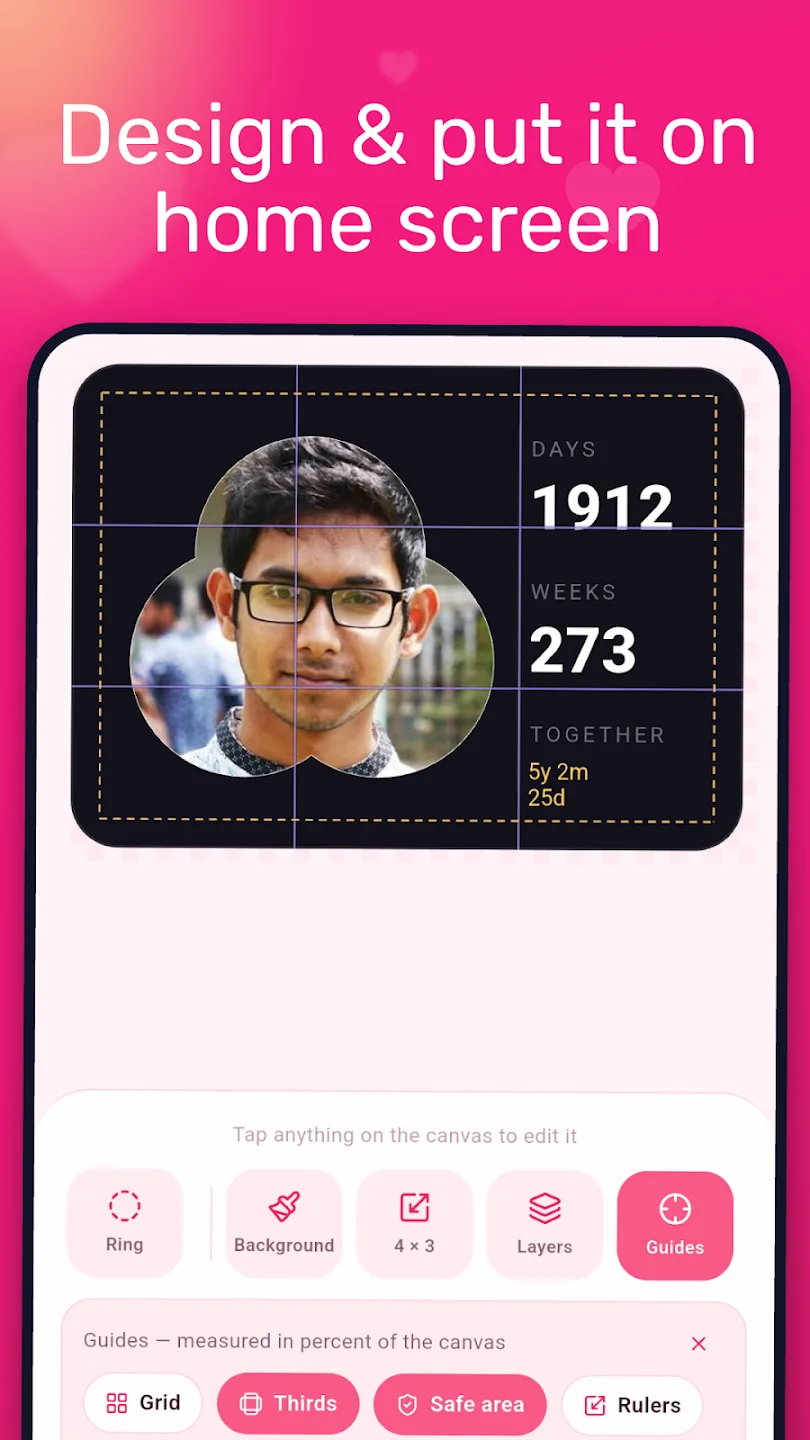
Designs are built at any launcher cell span, and changing the span asks exactly one question: is the layout locked? Locked, the composition keeps its own proportions and centres itself in the new shape, so a square design taken to 4×1 is still that square. Unlocked, it reflows to fill — which is what a full-bleed photo wants and almost nothing else does. Every layer can also be placed numerically: width, height, x, y and rotation as numbers with an aspect lock, because dragging is fine until you want two things exactly aligned.
Nobody should have to type
A phone keyboard is the most expensive control this app has, and almost every question it asks has a finite set of sensible answers. Sizes, blood type, love language, favourite colour, the words on a widget, a widget's name, a memory's title — all chosen from a list, with “write my own” as a quiet last row rather than the main road.
What genuinely stays typed: the two names, a nickname, a note, a phone number, an email. That is the whole list.
Widget text is a vocabulary of templates, shown to the user already resolved — you pick “1912 days together” and what gets stored is "{days} days together". You choose the line you will actually see, and the app keeps the version that stays true.
What is in the box
Every figure below is read off a catalogue in code rather than typed into a listing, and pinned by a test so it cannot drift. A hand-written number is wrong the day somebody adds a backdrop.
xychart-beta
  title "What ships in the catalogues"
  x-axis ["Templates", "Backdrops", "Stickers", "Avatars", "Quiz questions"]
  y-axis "Count" 0 --> 150
  bar [43, 48, 58, 56, 140]
| Claim | Read from |
|---|---|
| 43 widget templates | WidgetTemplates.all |
| 48 gradient backdrops | Backdrop.all |
| 58 stickers | StickerCatalog.stickers |
| 56 avatars | AvatarCatalog.all |
| 8 fonts | WidgetFontCatalog.fonts — the platform face plus 7 shipped |
| 140 quiz questions, 14 sets | QuizBank.all, ten per category |
The fonts are worth a sentence of their own. The app used to name platform font family aliases and ship no font files, which meant half the catalogue silently collapsed onto the system face on iOS, and any of it could on an Android skin — so the widget rendered in a different typeface from the builder preview that produced it. Seven faces now ship with the app, all SIL OFL 1.1, with their licences alongside them.
Kotlin to Flutter, without losing anybody
The original is an Android app in Kotlin with a conventional MVVM stack — ViewModels, Coroutines, Room, a repository layer, Koin for injection, API 23+. It is on GitHub as CoupleWidgetsMVVM and still the best place to read how the first version worked.
| Kotlin, 2023 | Flutter, now | |
|---|---|---|
| Platforms | Android | Android, with an iOS target building |
| UI | XML layouts, data binding, Material | Flutter, one design system |
| State | ViewModel + Coroutines Flow | Provider |
| Database | Room | sqflite, mirroring the same schema one-for-one |
| Injection | Koin | Constructor wiring |
| Widget | Seven providers, 4×1 | One provider, 1×1 to 4×4, design as data |
| Ads | AdMob | AppLovin MAX |
| Source | Open, on GitHub | Closed |
timeline
  title From a number I kept forgetting to a rebuilt app
  Kotlin, 2023 : MVVM app, seven widget providers
               : Open sourced as CoupleWidgetsMVVM
  Version 1.2.0 : A destructive migration fallback ships
                : It wipes the installed base
  Flutter, 2026 : Pixel-faithful port, schema untouched
                : Then redesigned on top of the port
  Version 1.3.0 : One provider, design as data
                : 43 templates, any span from 1x1 to 4x4
The applicationId never changed, on purpose: someone upgrading keeps their install, their data and the widgets already on their home screen. The promise is held by one test — converters_test.dart asserts that Dart reads the exact JSON the old Kotlin type converters wrote, including the literal string "null", which is what Room's converter produced for an absent value and which a naive Dart decoder treats as the four-character word.
The mistake that wiped people's data
This is the part I would most like to have written differently.
Room lets you declare a destructive migration fallback: if the schema version moves and no migration is defined, drop every table and start again. It is one line, it makes development frictionless, and in a release build it is a delete key wired to a version number.
Version 1.2.0 shipped with it. People who had been counting for two years opened the update to an empty app.
There is no clever fix for that and there was no backup to restore from, because — by design, as the privacy section below explains — the data was only ever on their device. What exists now is a rule instead:
- The migration chain from v1 is unbroken, and the database is at v9.
- There is no destructive fallback, at any version. A missing migration now fails loudly on a developer's machine rather than quietly deleting a stranger's five years.
- The old
Coupletable is still there, untouched, even though nothing reads it any more. The v8→v9 migration reads it once to seed the new profile. Without that seed, a two-year user would open the update to an onboarding screen asking who they are — which is the same felt experience as data loss even when every row is still on disk.
The v9 split itself is worth recording, because the old shape was the root of several bugs: one Couple row was simultaneously “who we are” and “what the widget looks like”, so editing a widget edited the couple. It is now three tables — CoupleProfile, WidgetDesign, QuizResult — and the profile keeps its open-ended fields in JSON columns, because a couples app grows fields forever and every one of them was otherwise a migration.
The release that crashed before any of my code ran
One more, because it is a genuinely nasty failure mode.
versionCode 21 crashed on launch for everyone who installed it from Play, and could not have crashed anywhere else. R8 renamed a Room-generated class, WorkDatabase_Impl, which Room only ever looks up by name — so the process died inside androidx.startup.InitializationProvider, before MainActivity, before the Flutter engine existed. Nothing in Dart could have caught it, reported it or logged it.
A local flutter run --release does not reproduce it, because R8 is the thing that breaks it. The only artifact that proves an R8 problem is a minified release build, installed and launched. The ProGuard rules file is load-bearing now, and it is commented as such — without it, R8 also strips the widget provider, which is only ever named from the manifest, giving you a widget that works in debug and stops updating in release.
Privacy: the boring kind
An app about a relationship holds an unusually intimate pile: two names, two faces, the date it started, the days that matter, private notes, and the answers to a hundred and forty questions about each other.
The design decision was to have nowhere to put it.
| Common in the category | Couple Widgets | |
|---|---|---|
| Account / sign-in | Usually required to pair | None. There is no login screen |
| Server-side storage | Usually, for sync between partners | None. There is no backend |
| Location sharing | Required by distance widgets | No location permission, and no distance widget |
| Photos | Often uploaded | Stay in the app's own storage |
| Analytics / crash SDK | Near-universal | None linked |
| Pricing | Subscription, roughly $6–$30 a year | One payment, or free with ads |
Two things make that checkable rather than a claim on a marketing page:
The manifest asks for one permission. RECEIVE_BOOT_COMPLETED, so the midnight alarm survives a reboot. That is the entire list the app declares.
There is no network code. No HTTP client, no API layer, no Firebase, no analytics package — nothing in the app's own source that could transmit a name or a photo anywhere, because nothing in it knows how. The only dependencies that reach the internet at all are the ad SDK and the platform's own services: Play Billing for the single purchase, Play's in-app review and update prompts. Buy the one-time unlock and the ad SDK never initialises at all.
The trade is real and worth stating: no server also means no sync and no backup. Your partner's copy of the app does not know about yours. Change phones without a device transfer and the days start again. Several people have asked for sync, and it is the feature I keep not building, because the version of it I would be willing to ship — end-to-end encrypted, no plaintext on my side — is a great deal more work than it sounds and the version I am not willing to ship is easy.
Money, and the ad rules I wrote down
There is exactly one product: a non-consumable called couple_widgets_forever that removes ads permanently. No subscription, no tier, and nothing in the app is locked behind either — every template, backdrop, sticker, font and quiz set is there from the first launch.
Two ad formats, both gated hard, and the gates live in one place rather than at each call site, because a rule every future screen has to remember is not a rule — it is the shape of the next regression.
| Gate | Interstitial | App-open |
|---|---|---|
| Bought the unlock | Never shown again | |
| Install younger than | 72 hours — nothing at all for three days | |
| Trigger | Finishing a quiz round, only | Foregrounding from a root screen, only |
| Actions since the last one | 5 | — |
| Cooldown | 10 minutes | 6 hours |
| Shared budget | The 6-hour window counts either format | |
| Suppressed during | Photo pick, crop, widget placement | Any builder, picker or editor |
The shared six-hour window is the one I would argue for hardest. Per-format budgets are how somebody finishes a quiz, sees an interstitial, backgrounds the app and is met by a full-screen takeover seconds later — each format perfectly within its own limit, and the user's actual experience being two ads in ten seconds.
One more decision in the same spirit: with no ad credentials in the build, the app shows no ads at all, not test ads. The Kotlin build had shipped Google's demo ad units as its fallback and needed a Gradle task to stop a release going out against them. Silence is a safer default than a placeholder.
What I would tell anyone building a home-screen widget
- Design for the repaint, not for the app. The widget runs when your process does not. Anything it needs must already be in a key-value store in a form a receiver can paint without asking anything. Work backwards from that and the data model designs itself.
- Store templates, not values. Anything time-dependent that you resolve at save time is a photograph of a fact, and it starts being wrong immediately.
- Use fractions. One design, every size, no second layout. It is the single highest-leverage decision in the whole spec.
- A cross-language contract needs a test, because it has no compiler. Three renderers, one JSON, nothing type-checked end to end. The test is not a nicety; it is the only thing standing between a renamed key and a blank widget on somebody's home screen.
- Never let a schema mismatch delete data. A destructive fallback is a delete key wired to a version number. Fail loudly on your own machine instead.
- Test the minified build. R8 problems do not exist until R8 runs, and the failure can land before any of your code does.
- Having nowhere to put the data is a feature. It costs you sync, and it means there is no breach to have.
Links
- Couple Widgets on Google Play — Android, free, one optional purchase.
- CoupleWidgetsMVVM on GitHub — the original Kotlin MVVM version, open source.
- The product page — the full feature list, screenshots and FAQ.
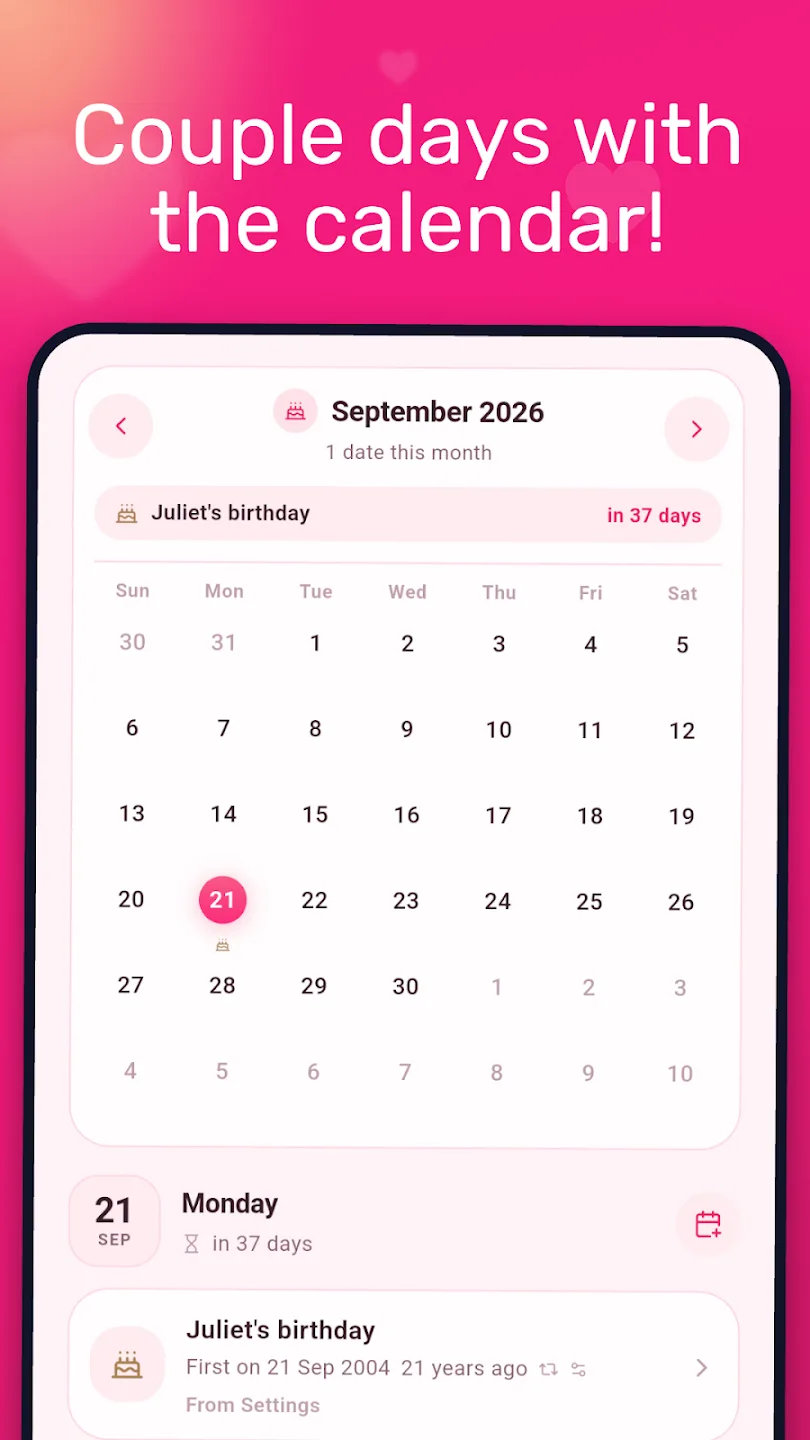
The names and dates in the screenshots above are the demo couple the store listing uses, not us. The app itself has never seen either — which is the whole point of the section above, and the reason I cannot tell you how many days it currently says on my own home screen without going and looking.